Remote support, rebuilt.
We rebuilt a ScreenConnect server as i-CONNECT me: the sign in, the console, the command menu, the installer. Then we added two extensions of our own.
Scroll to fly through the real screensA sign in that carries the brand
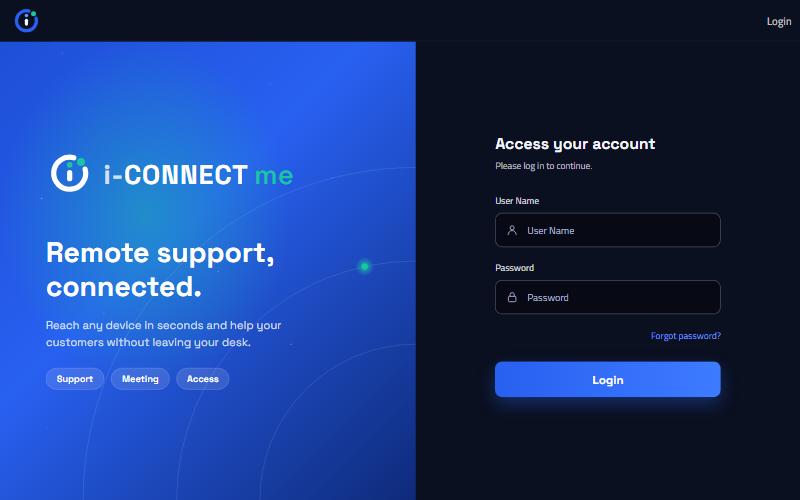
The login became a split canvas: a blue brand panel with the orbit C mark and “Remote support, connected” on the left, a quiet form on the right.
Customers who join a session get a matching page, “Help is on the way”, with three plain steps instead of a bare code box.
Your whole fleet in one view
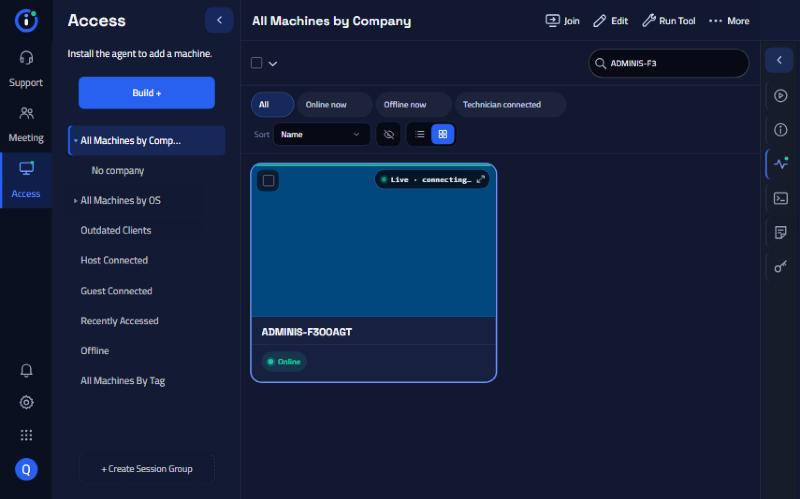
A groups dock on the left and a detail dock on the right push the list instead of covering it. Switch to the grid and every machine becomes a card with a live status.
Screenshot, session facts and history sit in one docked panel, so you never lose your place in the list.
Right click, think in commands
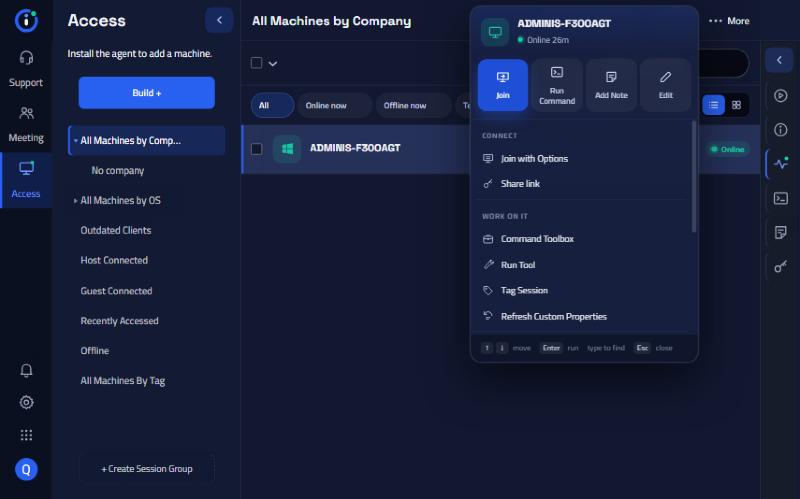
The stock context menu became a command palette: four action tiles, grouped commands, and type to find. Dialogs follow the same console language, and the installer offers a working Windows .exe.
Every row, tile and key hint is meant for people who live in this screen all day.
A timeline for every machine
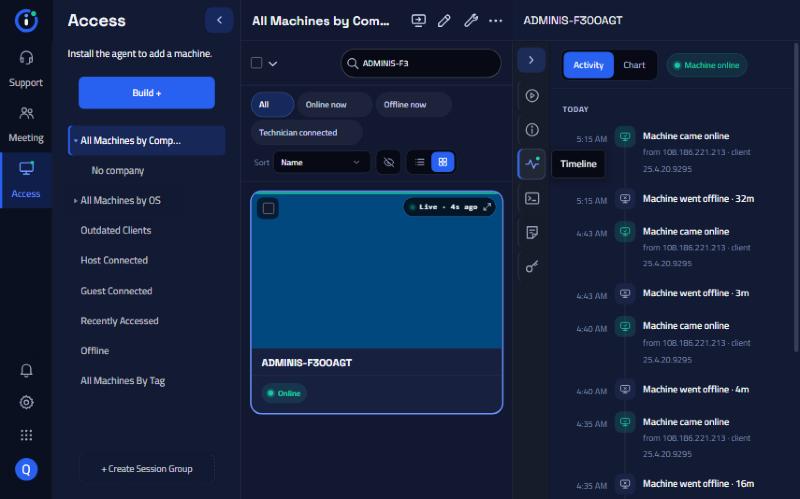
A custom extension groups a machine's history by day. Read it as an activity list, or flip to the chart and see every connection at a glance.
Alerts where you already work
A second extension posts to Discord, Slack, Telegram or any webhook when a device connects, disconnects or runs a command. You design each message in a builder with a live preview.
Discord is the channel tested end to end.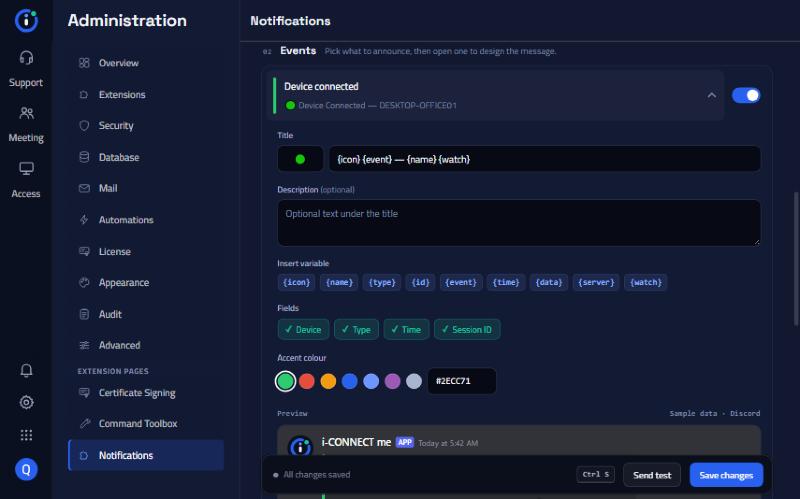
Built to survive the next update
None of this is a fork. The theme and the extensions sit beside ScreenConnect's own files, so most of the work carries over an update, and a few small settings are re-applied afterwards.
A theme, not a fork
All visuals live in a single theme folder, generated by one script, so the identity can be rebuilt at any time.
Extensions, not patches
New features ship as self contained extensions. Timeline and Notifications are two of them.
Yours for life
Support and updates are included for the lifetime of your install.
See it running on your own server.
One payment. We stand up i-CONNECT me on your domain with every upgrade on this page, and support, access and updates stay yours for life. Pay in Bitcoin to get started.
- Full i-CONNECT me rebrand: sign in, console, dialogs and icons
- Access command center: docks, screenshot grid and command menu
- Timeline and Notifications extensions installed
- A working, branded Windows agent installer
- HTTPS on your own domain, renewing on its own
- Lifetime support, access and updates
- Copy the BTC amount and the address on the right.
- Send the payment from your own wallet.
- Message the transaction ID to @qbitx10 on Telegram.
Pay with Bitcoin on-chain

Fetching the live rate…
Send $750 worth of BTC (— BTC at the current rate). The rate refreshes every minute.
Paid, or have a question?Send the transaction ID to us on Telegram.
@qbitx10The honest answers.
Is this still ScreenConnect?
Did you modify ScreenConnect itself?
Where does it run?
What about the agent installer?
What happens when ScreenConnect updates?
Is any of this sending my data somewhere?
Ready to see it on your server?
Book a demo and we stand up i-CONNECT me on your own domain, with every upgrade above.